
Project audit
Review structural health and project organization through findings designed to be understood, not just counted.
ReleaseCheck Studio helps creators inspect project structure and localization, review findings with context, preview supported Safe Fixes before confirmation, and share results through reports.
Built for preflight review
Authentic product captures
These approved captures show three real product states. The Review and Safe Fix images refer to different findings, so they are not presented as one continuous case.
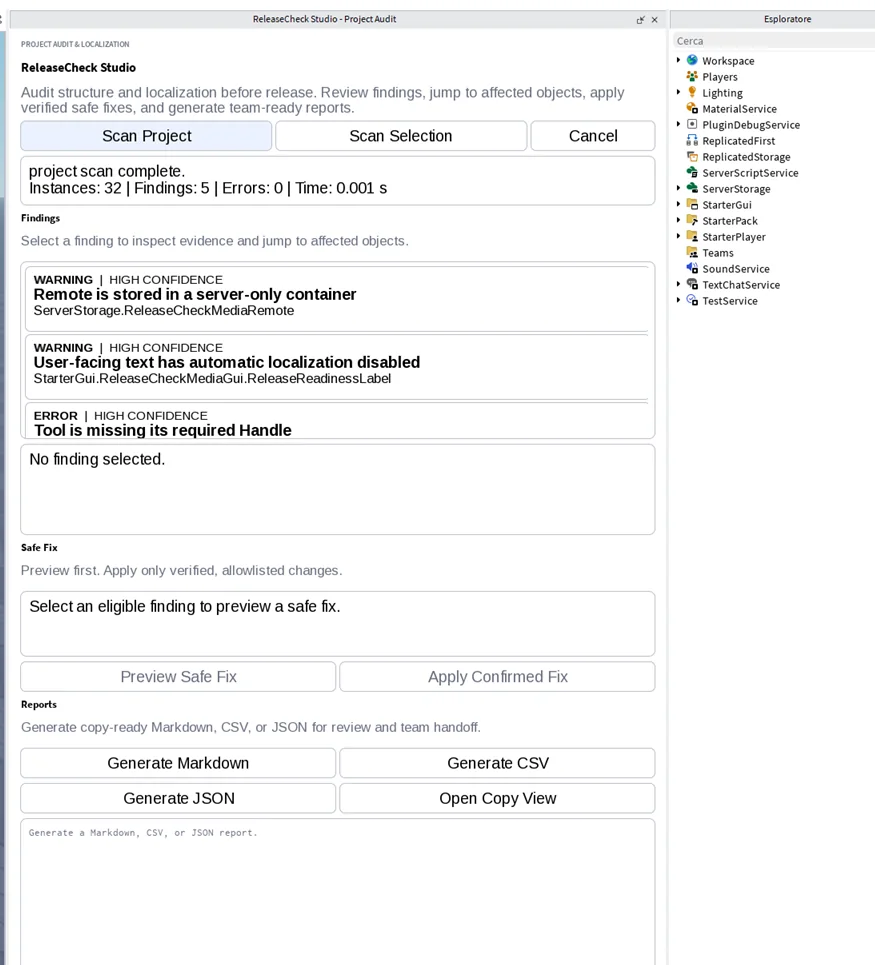
The capture shows a completed project scan with structural and localization findings ready for review.
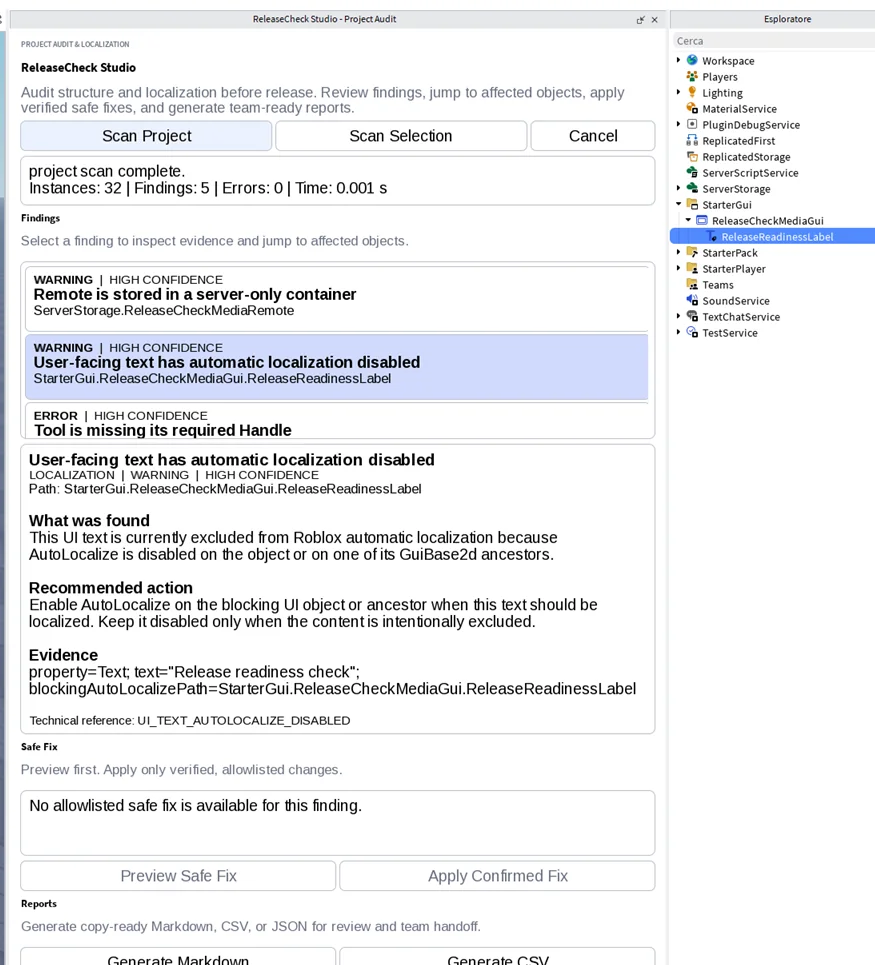
This localization finding exposes path, explanation, recommendation and evidence. The selected example correctly shows that no allowlisted Safe Fix is available.
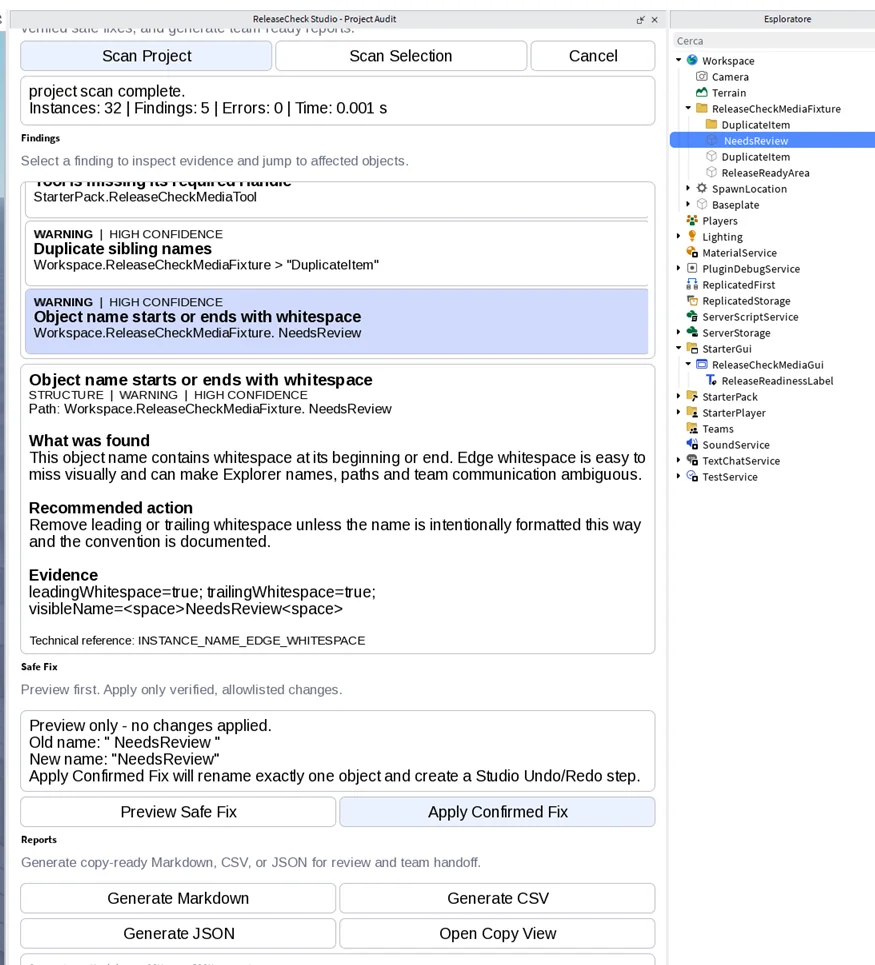
A different supported finding shows the old and new object name before confirmation and states that applying the fix creates a Studio Undo/Redo step.
ReleaseCheck can generate copy-ready Markdown, CSV and JSON reports for review and handoff. The current approved media set does not include a report screenshot, so this review does not fabricate one.
Capabilities
The plugin surfaces findings for review and only offers Safe Fixes in supported cases.
Review structural health and project organization through findings designed to be understood, not just counted.
Inspect UI text and localization-related issues as part of the same release preflight workflow.
Findings include severity, confidence, path, explanation, recommendation and evidence.
Where supported, preview the change, confirm it explicitly and use Undo / Redo for the supported fix workflow.
Move from a finding to the relevant object in Studio to inspect the context directly.
Produce copy-ready Markdown, CSV and JSON reports for review or handoff.
Boundaries
Clear limits are part of the product description, not fine print.
It does not promise performance gains or automatically optimize an experience.
It is a project preflight and audit tool, not a source-code security scanner.
Not every finding has a fix. Supported Safe Fixes require review and confirmation.
A clean review does not guarantee publication approval, product quality or marketplace results.
Quick start
Start the project review in Roblox Studio.
Review findings by severity and context, then select the relevant object when needed.
Apply a supported Safe Fix only after preview and confirmation, or resolve the issue manually.
Export the report format that fits your review or team handoff.
Support
Use the public studio address for product support and general enquiries.